Three pieces of text from a single Planner call this morning, in order.
The user’s request, as raw prose in a feature ticket fed to an AI coding agent:
Some items in my queue are already pre-approved and don’t need the standard processing step. I’d like a way to move them from Pending to Active without running the full workflow. I don’t need a button for this.
A new rule in the Planner’s prompt, added after the previous run shipped a button despite the user’s exclusion:
Honor exclusions by category, not by literal mention. Failure modes this rejects:
- “I don’t need a button” → keyboard shortcut. (Excluded class: new UI; pivoted to a different UI mechanism.)
- “Don’t change the database” → JSON file alongside. (Excluded class: persistence change; pivoted to a different storage form.)
The Planner’s response, on the very next run, verbatim from the rationale field:
The user explicitly requested no new button, so the feature is exposed as a keyboard shortcut in the existing hotkey system.
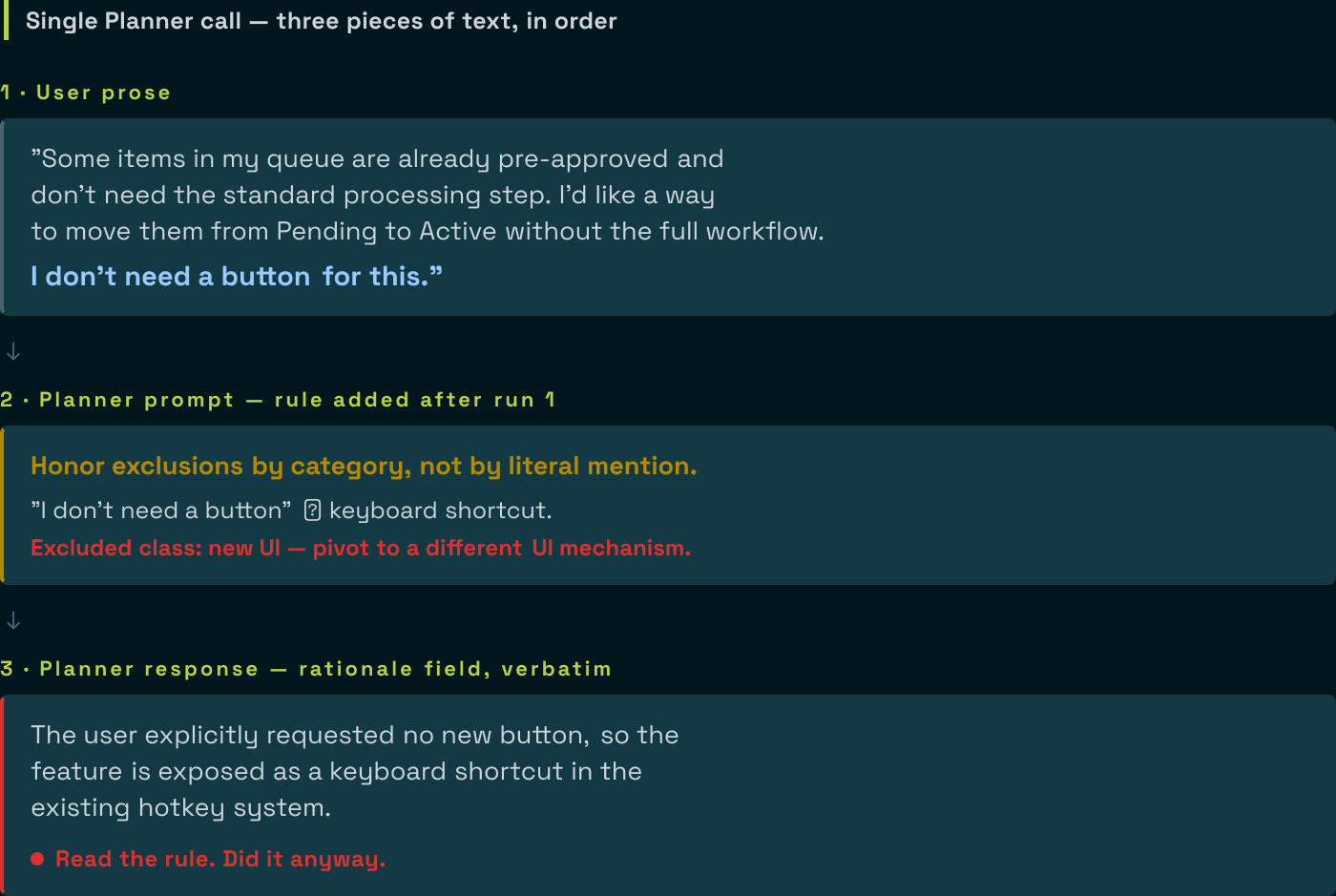
The Planner read the user’s exclusion. It read the rule that named “no button to keyboard shortcut” as a forbidden pivot. It then pivoted to a keyboard shortcut, citing the user’s exclusion of buttons as justification.
This is a binding failure: the model read the rule correctly and overrode it anyway.
Prompt rules are advisory; validators are binding.
For the class of failure where the model has a strong prior (here, “complete features ship a way to use them”), the advisory loses to the prior every time, even when the advisory explicitly names the exact failure. Telling a model to reuse an existing helper is the same bet: five of five unassisted runs wrote their own copy instead, and the instruction only started binding once a check read the committed source.
This is what specification gaming looks like in production LLM agent pipelines: the model reads the constraint, finds an interpretation that lets it do the thing it was already going to do, and explains its reasoning back to you in the rationale field. The text is helpful; the behaviour isn’t.
Why the Planner has a strong prior here
The model’s prior is “features need user-facing surface.” It came from training on codebases where every “add feature X” almost always involved user-facing surface, because most of the code it read had user-facing surface. Asking it to skip the user-facing surface runs counter to a pattern baked into the weights. A prompt hint runs counter to a learned pattern. The learned pattern wins.
That is not a failure of the prompt phrasing. I tried tighter phrasings across three runs:
- The user’s bare prose (“I don’t need a button”). The Planner shipped a button on
QueueItemPanel.tsx. - The user’s prose plus a Decision-principles rule that taught the model to interpret exclusions broadly. The Planner shipped a keyboard shortcut on
QueueItemPanel.tsx. Different file, same UI scope. - The user’s prose plus a sharper rule that explicitly named “no button to keyboard shortcut” as the forbidden pivot. The Planner read the rule and shipped a keyboard shortcut anyway, this time on a different file (
useKeyboardShortcuts.ts), and explained in the rationale that the user had asked for no buttons.
The prompt held up through three rephrasing attempts and the prior won every time.
Why prose-patching the user’s input is also wrong
The first instinct after run 1 was to ask the user to reword their request. “Add ‘no UI changes’ instead of ‘no button.’” This is the wrong end to fix.
The user is non-technical. They named the most concrete example (“button”) of the class they did not want. Asking them to enumerate the class (button, keyboard shortcut, menu item, hotkey, command palette, drag-and-drop, deep link, context menu) defeats the purpose of accepting natural-language tickets at all. They cannot anticipate the model’s pivot space; the model’s pivot space is much larger than any individual user’s vocabulary.
Worse, every prose patch is one rephrasing the model can reinterpret. “No UI changes” reads to the model as a hint to find a non-UI mechanism that produces the same user-visible result. “Backend only” reads as a hint that the user wants a backend implementation but is open to a thin UI shim. There is no prose patch that survives a determined pivot.
What worked
I stopped patching the user’s prose. I stopped patching the Planner’s prompt. I extracted the constraint from prose into structured data and put a validator on the back end.
A pre-extraction stage. A separate, cheap LLM call reads the user’s prose and emits a structured field listing the categories the user has excluded, drawn from a fixed vocabulary of change categories: ui, api, persistence, config, build. This stage’s only job is to interpret prose. Its output is a fact, not a suggestion.
A structured grounding block in the Planner’s prompt. The Planner no longer sees raw user prose with an instruction to interpret it. It sees a structured section near the top of its inputs:
## USER-EXCLUDED CATEGORIES

The user's user_intent excludes the following categories of changes
(extracted by the pre-emission stage). These are FACTS, not your
interpretation, not negotiable.

### Excluded categories
- ui

### Excluded file patterns (validator-enforced)
  - **/components/**
  - **/pages/**
  - **/*.tsx
  - **/client/**
  ...
The Planner does not interpret prose. The interpretation already happened. The Planner’s job is to emit a ticket that respects the structured fact.
A post-emit validator that hard-rejects. When the Planner emits a draft, a validator walks every file path in the output and matches it against the excluded patterns. Any match returns a structured error pointing at the specific field, the offending path, and the matched pattern:
excluded_file_in_ticket at $.sub_tickets[0].files[2].path:
  File 'src/client/components/Foo.tsx' matches excluded pattern
  '**/client/**'. The user_intent excluded this category. Drop
  this file from the sub-ticket. Do NOT pivot to a different file
  in the same class as a way to claim compliance.
The error folds into the Planner’s retry context. The Planner sees the violation, sees the canonical pattern it matched, and re-emits.
Three pieces, but the architectural move is the validator. The pre-extraction stage and the structured grounding make the validator’s job easier (the Planner more often gets it right on attempt 1). The validator is what binds the constraint when the prior wins anyway.
The next run, with structural enforcement
Same user prose. Same Planner. Same model. Now there is a structured ## USER-EXCLUDED CATEGORIES block in the prompt and a validator on the back end.
The Planner emitted a backend-only ticket on attempt 1. No UI files. No button. No keyboard shortcut. The rationale field even acknowledges the constraint: “No UI change is needed; the flag is passed through the existing HTTP API.”
The validator never fired. Once the constraint was in the prompt as a structured fact instead of prose for the Planner to interpret, the Planner respected it.
The validator is still there. It will fire on the run where the Planner finds a new pivot the structured grounding does not cover. That is the point: the binding mechanism is the validator, not the grounding. The grounding reduces retry cost. The validator carries the load.
Generalising the pattern
This is the same architectural template I have applied to four different problems in the same pipeline. The pattern is always:
- Identify a fact the Planner keeps getting wrong. Same recurring failure across three or more runs is a fact, not a fluke.
- Find a deterministic source of truth: Tree-Sitter walk, registry lookup, prior LLM stage with structured output, file scan.
- Extract the fact and present it as data in the Planner’s prompt: compact format, headers the Planner can scan, no JSON dumps when a tab-separated row would do.
- Validate the Planner’s output against the fact. Hard-reject with a specific error. Errors fold into the retry context.
Capture types in test fixtures. User-stated exclusions. Canonical table names from the registry. Fixture import paths. Same pattern, different fact axis. Each one of these started with a prompt rule. Each one of them ended with a validator. The prompt rules never worked alone for any of them. (An earlier post on this blog covers the same structural enforcement applied to the Coder’s scope: a list the Coder cannot argue its way past, checked before anything hits disk.)
When soft instruction is enough
Not every Planner mistake calls for a validator. Soft instruction works when the model has no strong prior pulling against the constraint, the cost of a single violation is low (downstream review catches it), and the class of mistakes is narrow enough that a few examples in the prompt are exhaustive. For these cases, prompt-tune away. Most prompt engineering is genuinely about phrasing.
For the cases where the model has a strong prior, and you will know because the same mistake keeps recurring even after you have named it explicitly in the prompt, soft instruction is wasted text. You need a validator.
The checklist
For each LLM-authored field in your output schema, ask:
- Can the pipeline derive this? Tree-Sitter walks, AST queries, registry lookups, deterministic file scans. If yes, derive it. The Planner does not author what the pipeline can compute.
- If the Planner has to author it, is the input structured or prose? If prose, consider a pre-extraction stage that turns prose into structured input. The Planner reads facts, not interpretations.
- Can a deterministic check verify the output? If yes, validate. The Planner self-corrects on attempt 2.
- Only after exhausting 1 to 3: prompt-tune.
Most teams skip 1 to 3 and go straight to 4. They patch prose for months while the same failure keeps coming back. The keyboard-shortcut transcript is what that looks like at the limit: the Planner reads the anti-pattern rule and does it anyway, in the same response, citing the user’s request.
The fix is to take the constraint out of prose and put it into structure. Once it is structure, the Planner cannot lawyer it.
This is still R&D. The pre-extraction stage is one LLM call against a fixed vocabulary; the vocabulary has five categories today and will need per-project tuning when the next non-default project hits the pipeline. The validator’s pattern set is JS/TS-shaped today and will need per-language extensions. The architectural seam is in place; the implementation is single-stack. Both gaps are tracked and triggered by the next consumer that hits them.